Using the console
Celbridge comes with a CLI (Command Line Interface) Terminal panel. The prompt in this terminal comprising 3 greater-than signs >>>.
The console panel is rendered using Xterm.js hosted in a WebView2
The terminal is where you’ll see messages from Celbridge, such as the status of loading new extensions or a different version of Python if you change the project settings and re-load the project.
Python REPL
This terminal offers a full Python REPL, with which you can interact. Some examples of using the Python REPL terminal include:
Run a Python script file named hello.py, one that contains a Python print() statement to ouput the string Hello world from Python:
>>> run hello.py
Hello world from Python
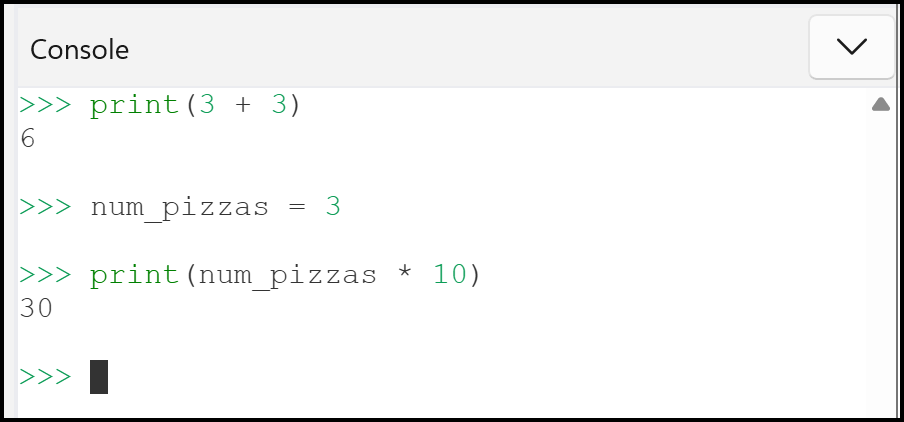
some basic Python commands, including setting and then using variables:
>>> print(3 + 3)
6

>>> num_pizzas = 3

>>> print(num_pizzas * 10)
30
CLI commands
It also offers a range of commands for running CLI programs. Examples including:
Directory list (in this example I’m working from an X: drive in a Celbridge project named celbridge_sample):
>>> !dir
Volume in drive X is Shared Folders

Directory of X:\Downloads\celbridge_sample

12/03/2025  10:56 PM               hello.py
12/03/2025  07:59 AM               celbridge_sample.celbridge
12/03/2025  08:08 AM               README.md
Running make commands. For eaxmpe, if you’re building code solution or websites using the MAKE tool. In this example I’m runnig the make html command to generate HTML files from RST files in a Sphinx project (only the first few lines of output are shown …):
>>> !make
Running Sphinx v8.2.3
loading translations [en]... done
loading pickled environment... done
building [mo]: targets for 0 po files that are out of date
writing output...
... and so on ...
Note
TIP Use <CTRL>+L to clear the console
Learn more about REPLs and this console at: