Examples
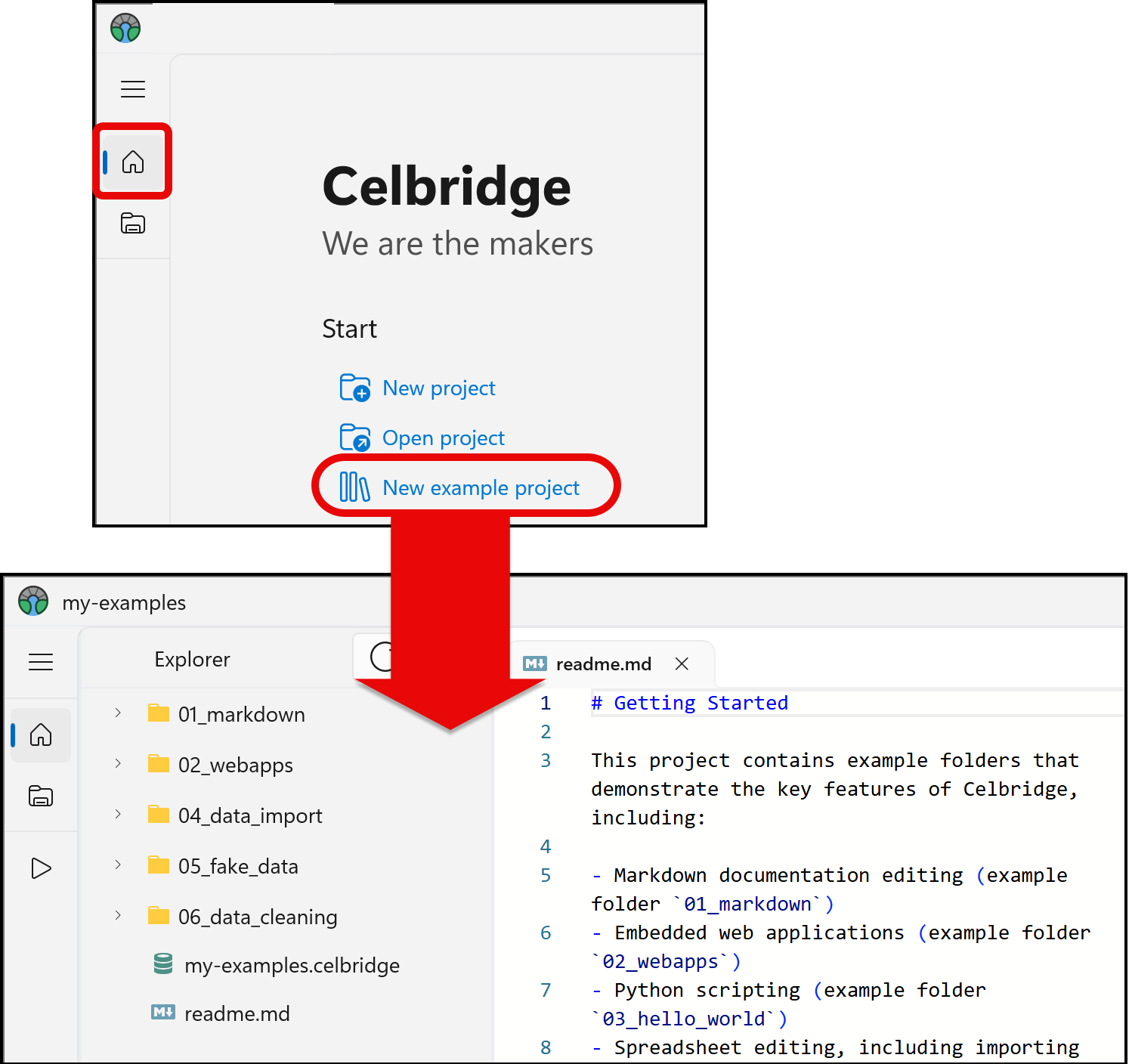
Each Celbridge release includes an example project that demonstrates the core features of Celbridge. Access this example project as follows:
Launch Celbridge.
From the home menu, click New example project.
Note
If an existing project opens instead of the home menu, click the home button in the navigation bar to the left of the explorer panel.
Enter a name for the example project (e.g. “my_examples”) and select a location for it.
Celbridge will generate a new example project. Each folder in this project contains an example of a core feature of Celbridge. For example, the 01_markdown folder demonstrates how to work with Markdown files.
To get started with each feature, see the readme.md files contained in the example folders.