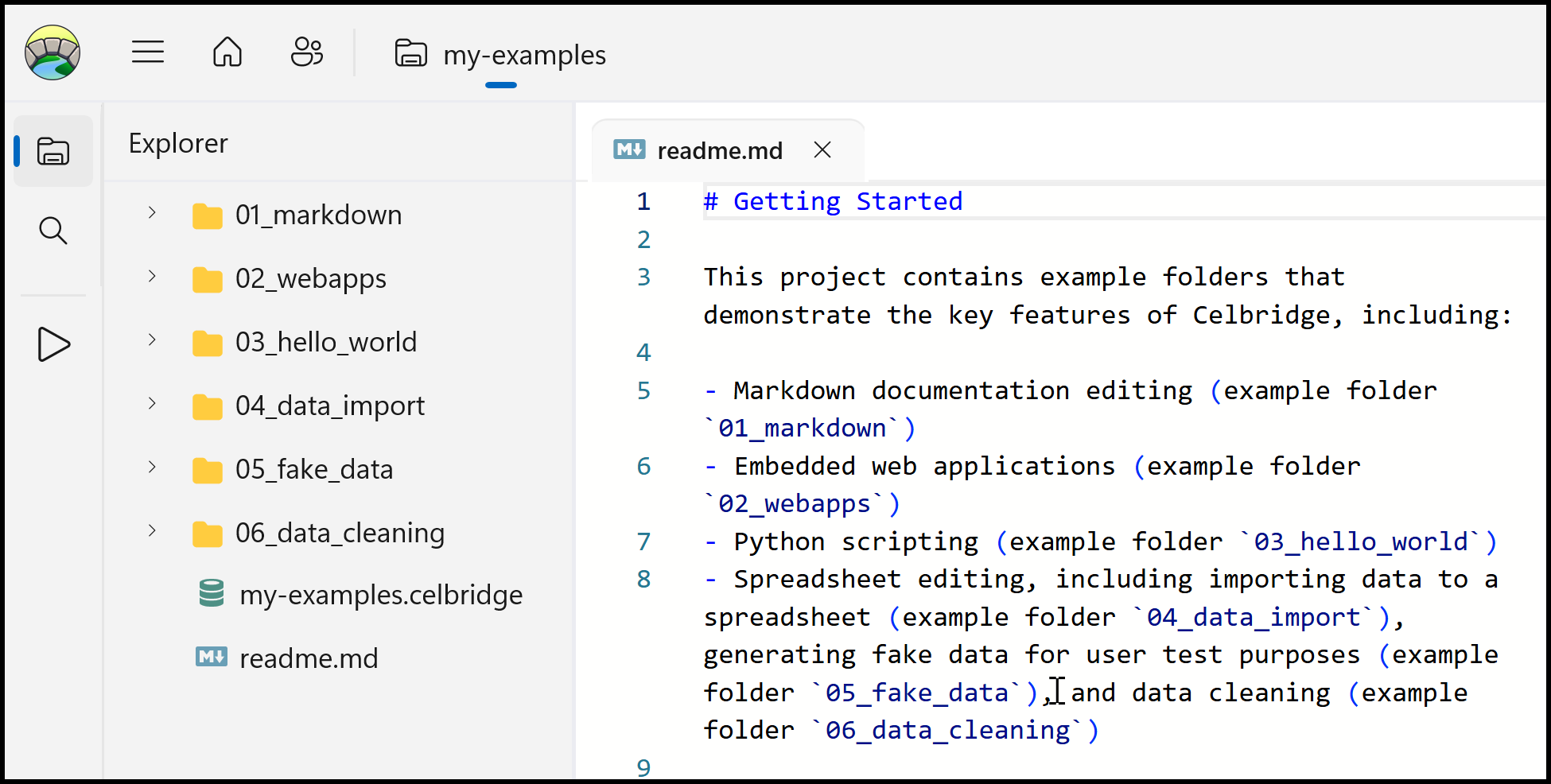
The Examples Project
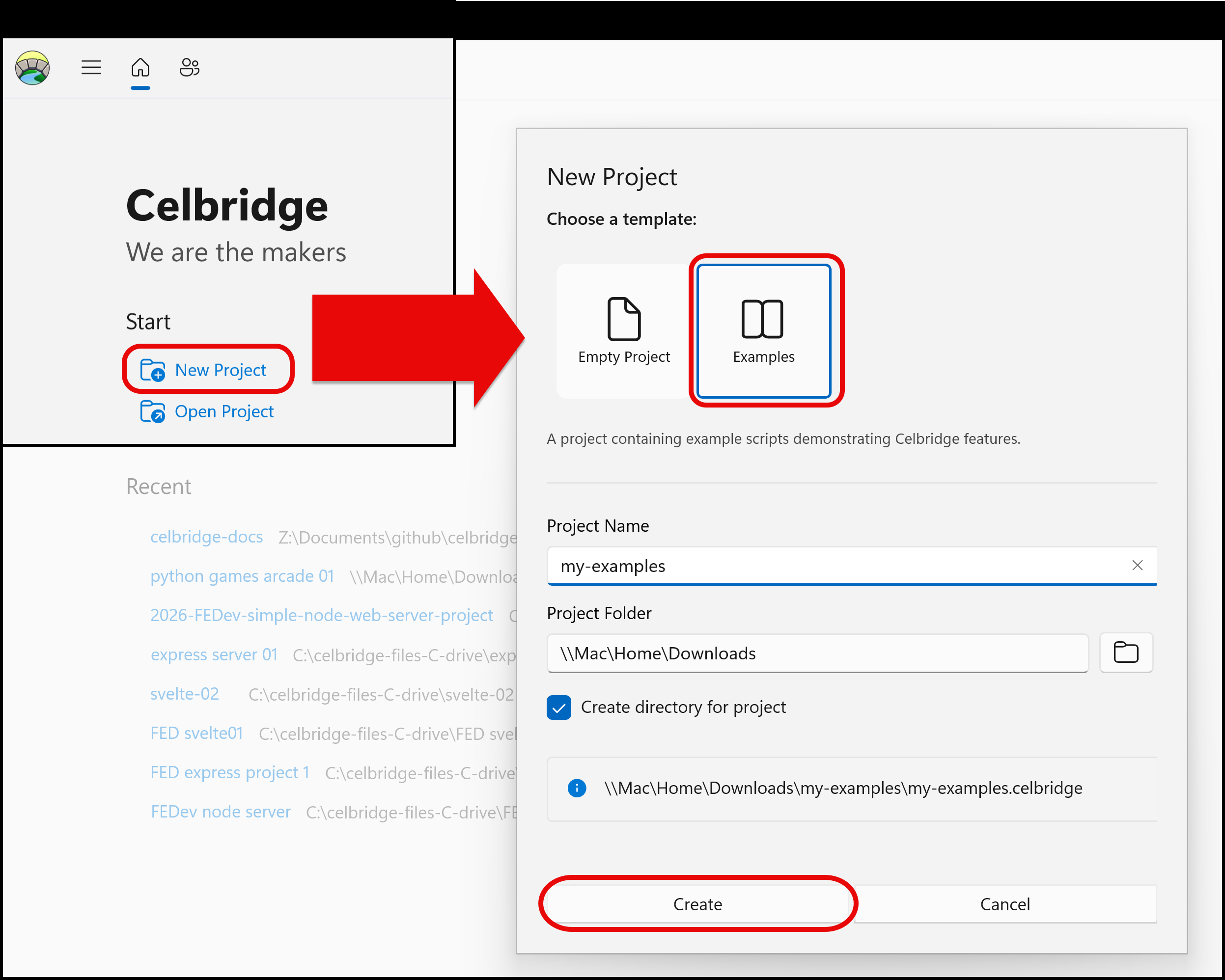
Each Celbridge release includes an example project that demonstrates the core features of Celbridge. Access this example project as follows:
- Launch Celbridge.
- From the home menu, click
New project. - Select eh Examples template.
- Choose a suitable folder and project name.
- Click Create.
Note
If an existing project opens instead of the home menu, click the home button in the navigation bar to the left of the explorer panel.
- Enter a name for the example project (e.g. "my_examples") and select a location for it.
- Celbridge will generate a new example project. Each folder in this project contains an example of a core feature of Celbridge. For example, the
01_markdownfolder demonstrates how to work with Markdown files. - To get started with each feature, see the
readme.mdfiles contained in the example folders.
You should now have a proejct with several examples, each in their own directories: