Hello World (Python programming)
This use case example shows you how to create and run a simple Python script.
- Create a new Celbridge project (or use an existing one).
-
Right-mouse click in the file explorer and choose to add a new Python file named hello.py:
-
choose menu: Add | Python Script (.py)
- enter the file name as hello.py
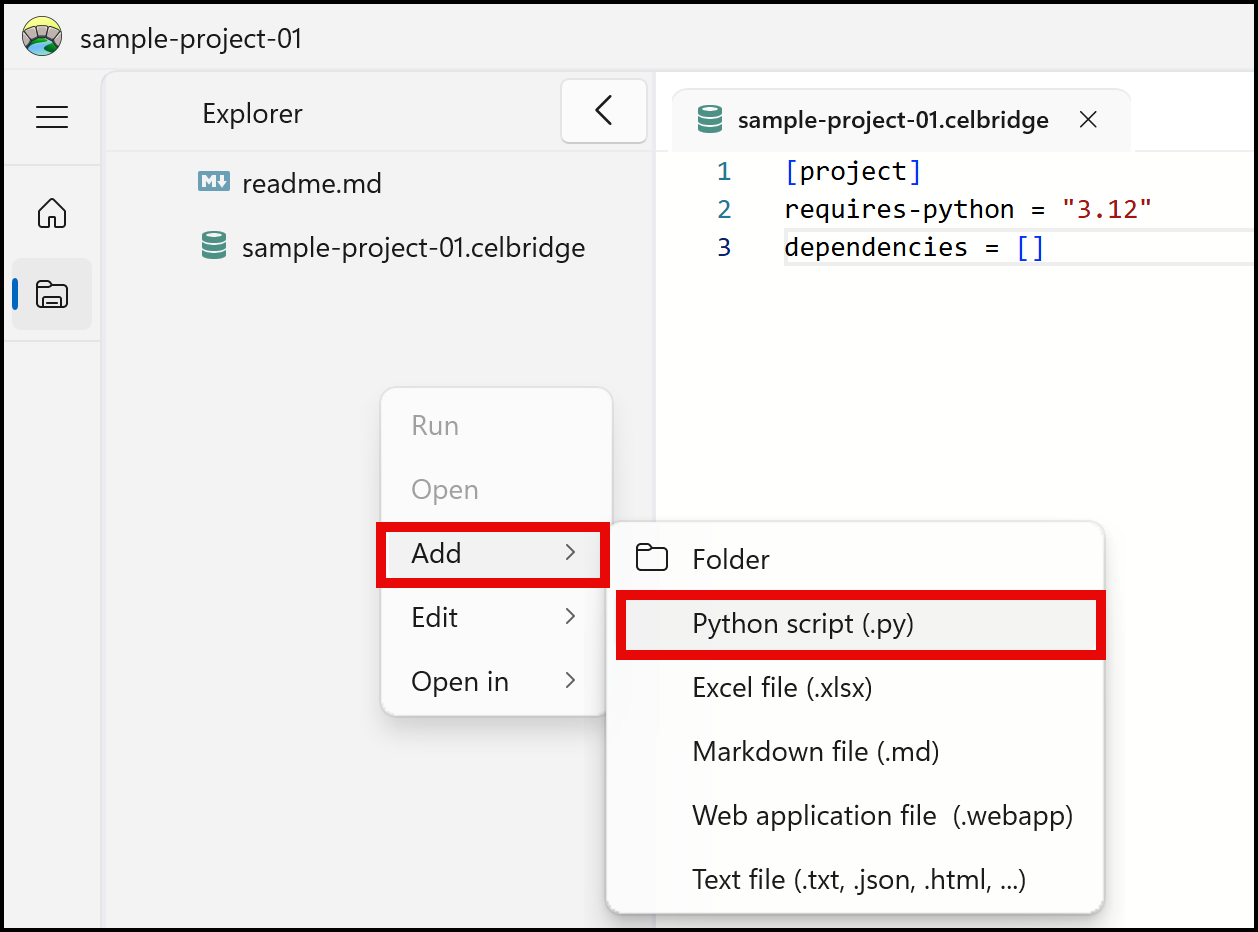
- The new Python script file should be created and appear in the file explorer panel.
-
Edit your new script, by double clicking on file hello.py in the file explorer panel:
-
the file should open in the code editor in the Documents panel
-
Type the following simple Python print statement:
:::{note} There is no need to click anything to save your edits - since Celbridge automatically saves your changes as you type :::
-
Run your Python script. Do this by right-mouse clicking in the file explorer over file hello.py, and choose the Run option.
-
In the Console panel you should see the CLI comment %run hello.py followed by the text "hello world" printed out on the next line.
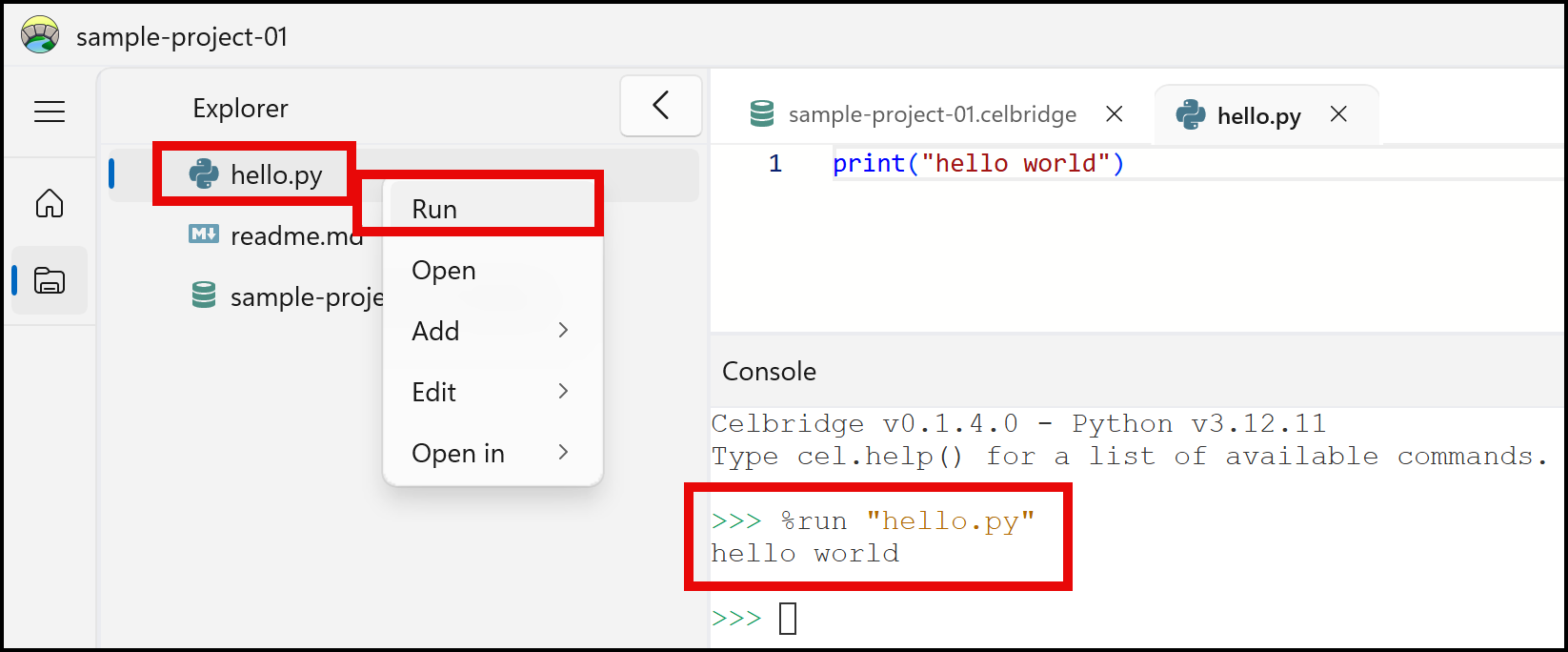
Congratulations - you've created and executed a Python script using Celbridge!