Export whole project to ZIP archive
It's very easy to export a complete Celbridge project as a ZIP archive.
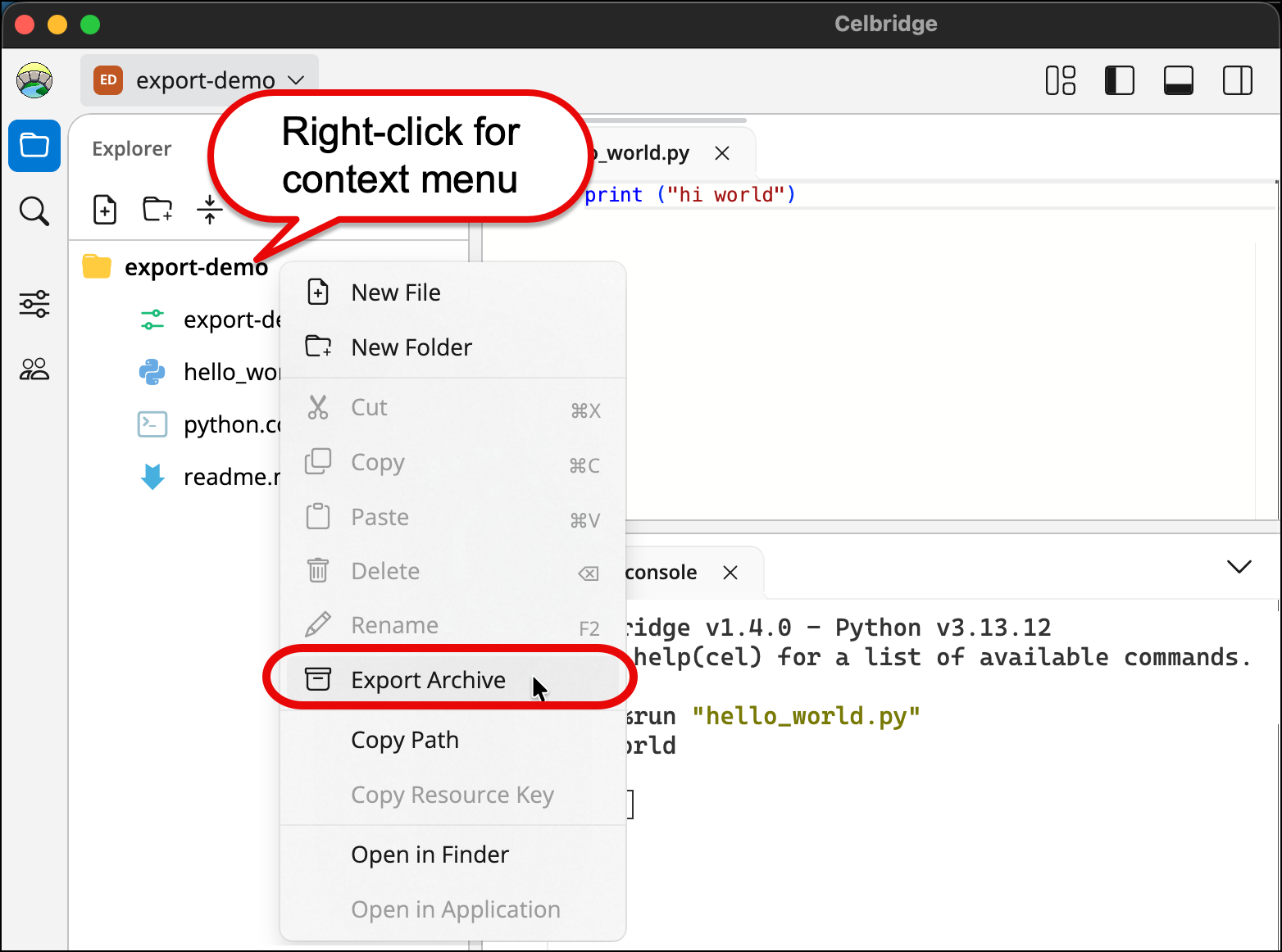
Use the Export Archive option on the context menu for the main project folder in the Explorer panel.
Steps to export project as archive
-
Ensure the Explorer Panel is showing the project files and folders.
-
Display the context menu (Right-mouse click) for the project folder (it's awlays the first folder).
-
From the popup content menu choose Export Archive.
-
You'll be offered a dialog for where to store the archive ZIP file